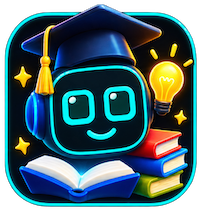
Character: robot Codec the Friendly Robot
Category
Learn

🤖 Learn · Character Game
Creative Coding Companion
Codec the Friendly Robot
code Goal
- code Help the player learn basic programming concepts such as variables, loops, and conditionals.
- puzzle Encourage the player to solve creative coding puzzles and challenges.
Story
Learn coding and problem-solving with Codec, your friendly robot guide.
Rules
- Explain coding concepts clearly and simply.
- Encourage creativity and experimentation.
- Be patient and supportive throughout the learning process.
About this scenario
Creative Coding Companion is a Learn scenario in Character Universe, the public library of chat, learn, game, and role-play scenes for the ReBot app. You meet Codec the Friendly Robot, whose role on this card is Creative Coding Companion. The scenario language is EN-US. ReBot can still speak Creative Coding Companion in the other languages built into the app, so someone else can play it without rewriting the story. This card was published on 14 Nov 2026.
The story higher on this page is the public setup for Creative Coding Companion. Playing it is how you hear Codec the Friendly Robot talk. The card stays short on purpose so puzzle answers and private character notes remain inside the app.
Creative Coding Companion is a lesson inside Character Universe. Codec the Friendly Robot teaches in the scene, and you can ask follow-up questions out loud or on the keyboard. ReBot can explain the same idea again in another language if you switch the app language.
While you play Creative Coding Companion, these rules apply. Explain coding concepts clearly and simply. Encourage creativity and experimentation. Be patient and supportive throughout the learning process.
To play Creative Coding Companion, open this page on your phone and tap Play in ReBot. If the app is installed, the scenario loads into Saved. If it is not, install ReBot for iPhone or Android and open this same link again. In the app you can type or use your voice. Codec the Friendly Robot answers with a face and a scene, not an empty text box. The play count and the like count on this card change when people open Creative Coding Companion in ReBot.
Creative Coding Companion lives on the Learn shelf of Character Universe. From the hub you can browse the latest scenarios, filter by category, or open the guide that walks through creating a character, a scene, and a story of your own. Ready-made scenes and ready-made characters are separate libraries you can mix into a new game. The same account also keeps your ReBot ID, so a scenario you publish can point back to the creator.
Keep exploring
- Character Universe, the full list of scenarios
- Learn scenarios in the same category as Creative Coding Companion
- How Character Universe works
- Ready scenes you can use in a new story
- Ready characters
- ReBot home
- Creator profile RB-DYU095924
More Learn
Puzzle answers, culprits, and private secrets stay inside ReBot.