This guide is written in English, the original language of ReBot Character Universe (also called Character Games).
You can still type your prompts in any language — ReBot answers in the language you speak.
A Character Game is a playable scene on your phone: a ReBot face in front of a scene you pick, plus a conversation you can save, restart, or publish.
Watch the create walkthrough on YouTube Shorts
— pick a character, write a prompt, choose the environment, and the scene comes to life.
Character Universe
On the phone the ReBot face sits in front of the scene. The backdrop is two strips: an upper environment (sky, forest, night, castle…) and a lower ground (grass, water, street…). That is the same layout as play inside the app.
Face, scene, and voice
After you describe the character, ReBot lets you turn three presentation layers on or off: Face, Scene, and Voice.
All three are on by default. You can still chat in text if you turn voice off.
Pick a ReBot face
The face is the robot look on screen — hair, ears, glasses, animal features, or a job costume.
Choose a preset (people, animals, or custom parts) so the character matches the story: a bird in a forest, a wizard in a castle, a chef in a shop.
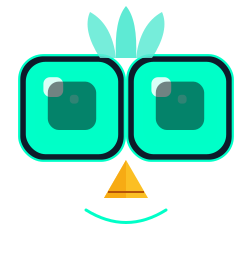
- Bird
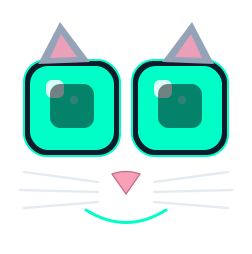 Cat
Cat Wizard
 Chef
Chef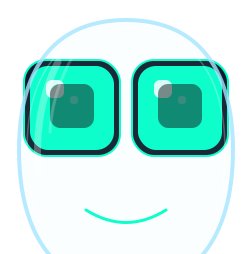 Astronaut
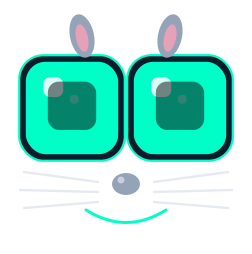 Bunny
Bunny
Presets include people (girl, boy, grandpa, nerd), jobs (astronaut, king, pirate, wizard, chef, officer), and animals (cat, dog, bunny, bear, bird, fish, and more). You can also mix parts: hair, hair color, brows, lashes, nose, beard, ears, glasses, headwear, cheeks, antenna, and eye size.
Pick a scene (two strips)
The scene is the background behind the face. You pick an upper strip and a lower strip.
Upper examples: sky, dusk, night, forest, mountain, castle, city, books, shop. Lower examples: grass, water, sand, snow, street, wood, brick.
Combine them — forest over grass, night over city, dusk over castle — so the phone looks like a tiny stage.
-
Forest + grass
-
Night + city
-
Dusk + castle
-
Sky + water
The categories
Each category asks only the fields it needs. Chat is character-only. Learn adds a subject. Game adds a scene and one win condition. Role-play adds a setting. Characters and ReBot Me are ready cast and a playable you.
- Chat — a companion only. Talk, tease, or keep someone company. No puzzle and no lesson plan.
- Learn — a character plus a subject. The AI teaches step by step and checks that you understood.
- Game — a character, a scene, and one findable win condition. Clues stay consistent until you name the answer.
- Role-play — a character plus a setting. Improvise together; there is no single correct ending.
- Characters — published cast you can reuse in any activity type.
- ReBot Me — a short survey that builds a playable version of you.
How to create one in the app
- Open the ReBot app and tap Character Universe.
- Choose a category: Chat, Learn, Game, or Role-play.
- Write short prompts for the AI character — and, if the type needs it, yourself, the setting, and the goal. You may write in any language.
- Keep Face on and pick a ReBot look that matches the character.
- Keep Scene on and pick the upper and lower backdrop strips so the phone shows a stage behind the face.
- Leave Voice on if you want ReBot to speak, or turn it off for text-only play.
- Tap Create. ReBot compiles a playable scene you can save, restart, or keep on the device.
- Optional: tap Publish to put a public card on rebot-ai.com. Friends open the same link and load it with Play in ReBot.
What you see while playing
Play fills the phone like the preview above: scene strips in the background, the chosen ReBot face in the foreground, then the chat.
Goals and meters (for Learn and Game) sit under the face. Puzzle answers and character secrets stay in the app — public web pages are spoiler-safe.
What stays private
History stays on your device unless you publish. Characters you build belong to you.
Public pages show spoiler-safe details only. Read privacy in ReBot or the Privacy Policy.
Browse playable scenarios
All
Chat
Learn
Game
Role-play
Characters
ReBot Me
 Chat
Chat  Learn
Learn  Game
Game  Role-play